
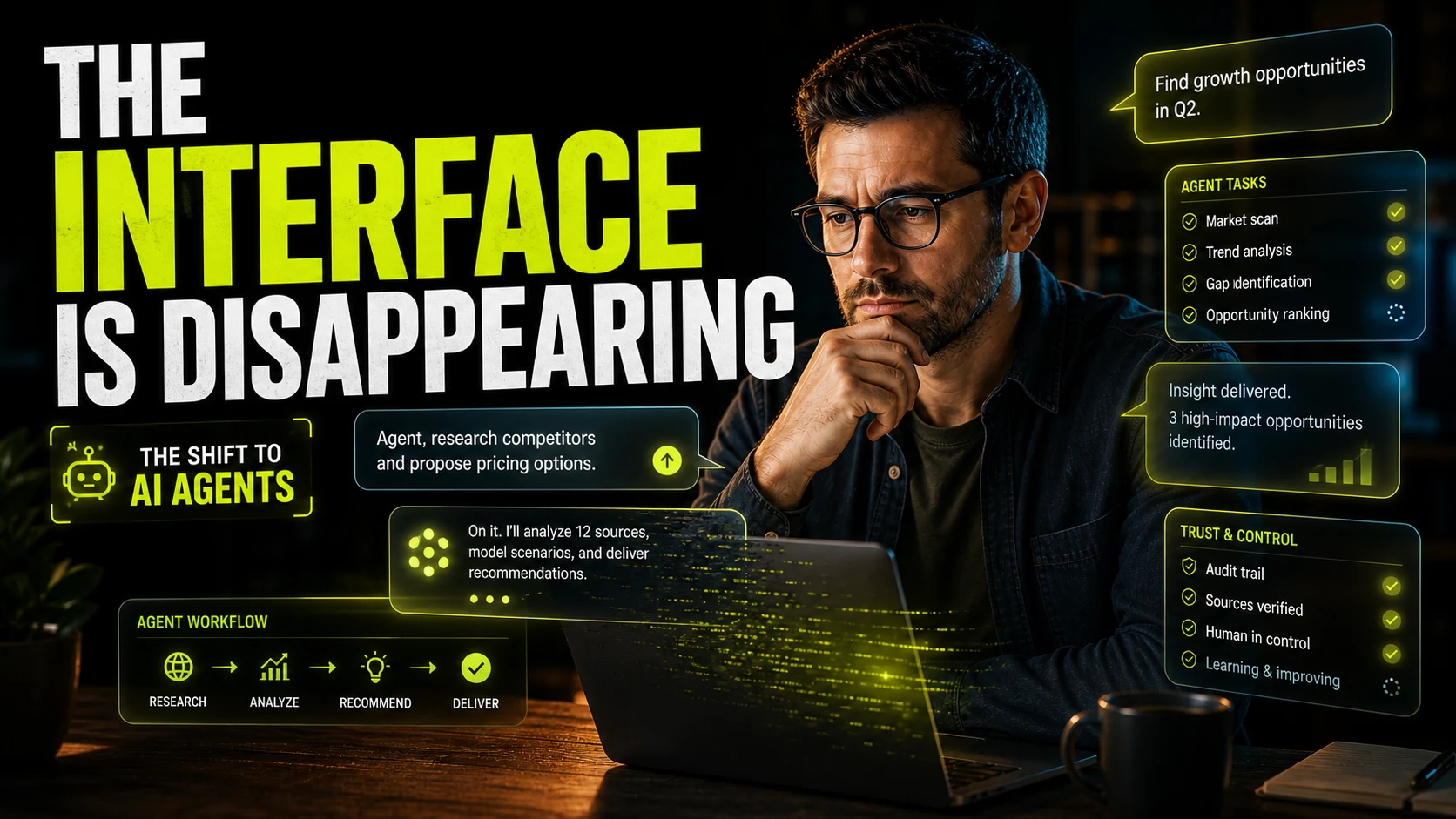
For most of software history, UX has been built around the screen. We designed navigation, forms, dashboards, filters, modals, empty states, and step-by-step flows because users had to move through the product one action at a time. In 2026, AI agents are changing that assumption. Users are beginning to tell products what they want, while the product plans the work, executes steps, adapts to context, and asks for help only when human judgment is needed.
That does not mean design is becoming less important. It means the center of UX is moving. The interface is not only the visible surface anymore. The real experience is the relationship between user intent, agent behavior, trust, control, feedback, and intervention.

01 UX is moving from clicks to intent
Traditional UX assumes the user performs the work directly. If they want a report, they open the analytics page, choose a date range, apply filters, export a file, write a summary, and send it somewhere. The product helps, but the user still drives every step.
Agentic UX changes that rhythm. The user can say, "Analyze last quarter's leads, find the biggest drop-off, and draft recommendations for the sales team." The product now needs to understand the goal, break it into tasks, make decisions, use tools, and return with useful output. The user is no longer clicking through a path. They are setting direction.
This is a much bigger change than replacing buttons with chat. A chat box alone is not agentic UX. The real shift happens when the product can act across a workflow and when the user can trust it enough to let that happen.
The future interface is not just a prompt field. It is a control system for intent, autonomy, progress, evidence, and human judgment.
02 Screens become checkpoints instead of the whole journey
In a screen-first product, each page is a destination. In an agent-first product, many screens become checkpoints. They help the user understand what the agent is doing, confirm sensitive actions, inspect evidence, edit outputs, or recover from mistakes.
That changes how designers should think about flows. Instead of asking, "What page comes next?" the stronger question becomes, "Where does the user need visibility, choice, or control?" Some parts of the journey can become invisible. Other parts need to become more visible than before because the product is acting on the user's behalf.
This is why the interface feels like it is disappearing and becoming more important at the same time. Low-value interaction can fade away. High-stakes interaction needs sharper design.
03 Trust becomes a design material
When software only displays information, users mostly judge whether it is clear. When software takes action, users judge whether it is trustworthy. That is a different design problem. A beautiful AI product can still feel unsafe if the user cannot tell what the agent knows, what it plans to do, or how to stop it.
Good agent UX makes trust visible without making the product exhausting. Users need enough context to feel oriented, but not so much explanation that the agent becomes slower than doing the work manually. The best products will tune this carefully: more detail when risk is high, less detail when the task is routine.
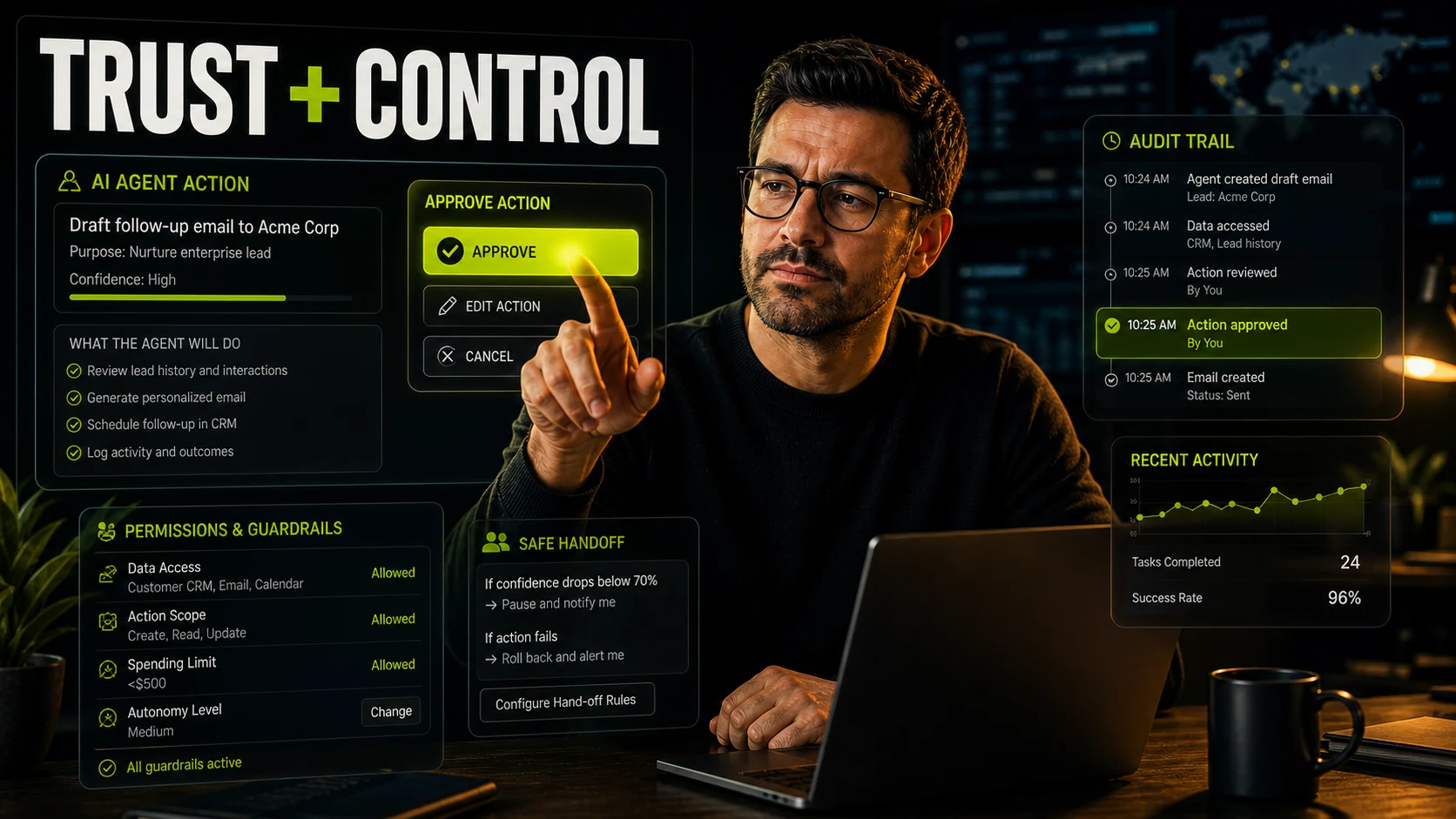
Agentic UX needs trust signals like these
- Clear goals before the agent starts working
- Visible plans for complex or risky tasks
- Permission boundaries around data, tools, spending, and external actions
- Confidence indicators that are useful without pretending to be certainty
- Audit trails that show what the agent did and why
- Easy ways to pause, edit, undo, or escalate to a human
04 Control must be designed, not hidden in settings
A common mistake in AI product design is treating control as a settings page. That is not enough for agents. If an agent is booking meetings, updating records, sending emails, changing budgets, editing websites, or creating production assets, control has to appear inside the workflow at the exact moment it matters.
The user should be able to choose autonomy levels. Some tasks can run automatically. Some should ask before execution. Some should require approval before touching customer data, publishing content, sending messages, or spending money. These boundaries are not edge cases. They are the structure of the experience.
This is where strong UX design becomes strategic. The product has to make the user's responsibility clear without making them babysit every minor action. Too little control feels risky. Too much control destroys the value of the agent.
05 Feedback is the new loading state
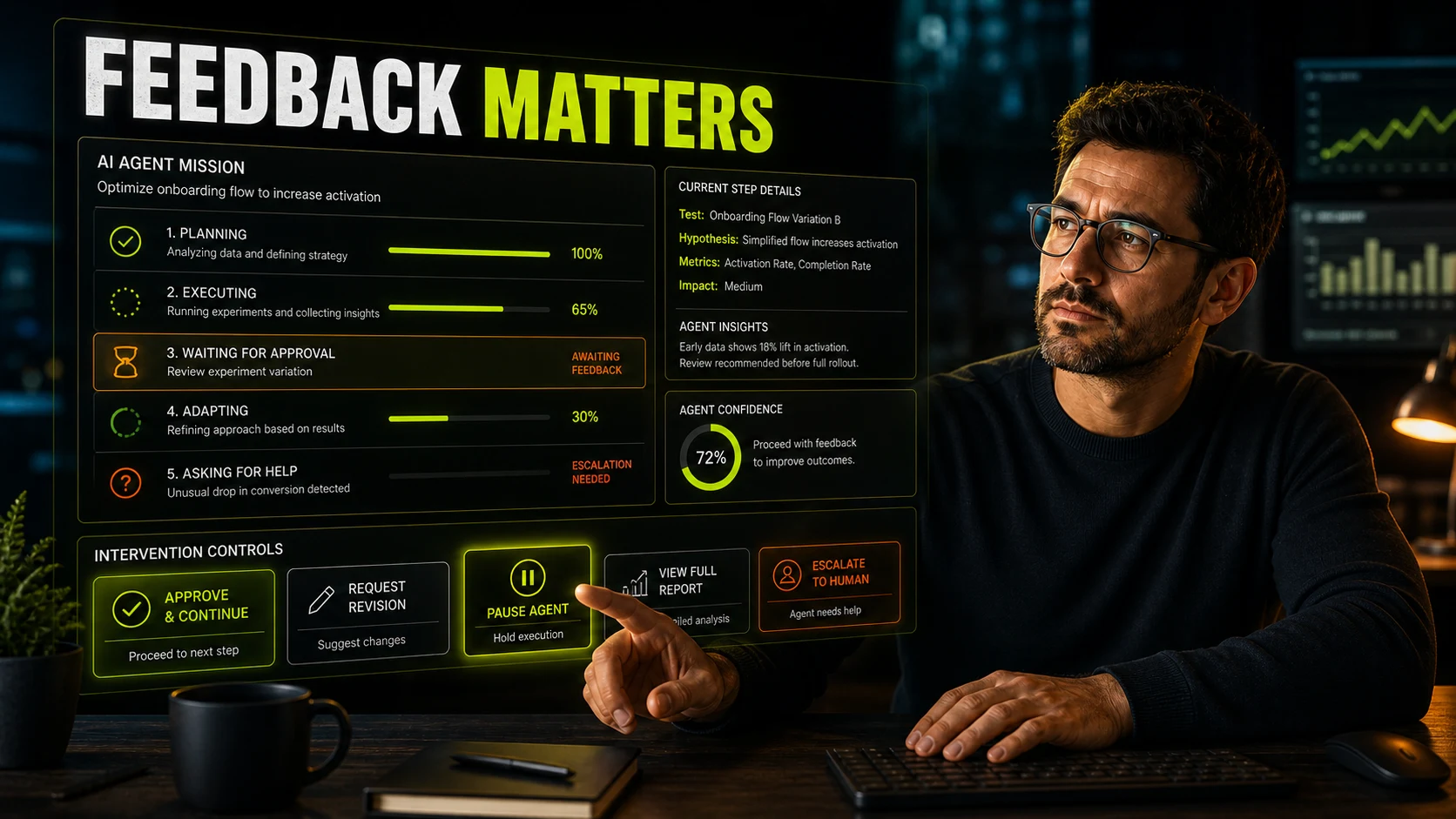
Classic loading states were simple: a spinner, a skeleton screen, maybe a progress bar. Agent work is different because the system may be researching, comparing, writing, testing, waiting for another tool, asking for approval, or changing direction based on new information. Users do not only need to know that something is loading. They need to know what kind of work is happening.
A strong agent experience should show progress in human terms. What is the agent doing now? What has it completed? What is uncertain? What decision is coming next? When should the user interrupt? The answer is not always a verbose transcript. Sometimes it is a compact mission board, status timeline, or activity log that gives the user confidence without stealing attention.
06 Intervention becomes part of the core flow
Human-in-the-loop design is often discussed like a safety layer. In agentic UX, it is part of the core product experience. The most important moments may be the moments where the agent stops and says: "I found three options. This one has the highest upside, but it also changes pricing. Do you want to proceed?"
That intervention point needs careful design. The user should understand the recommendation, the trade-off, the consequence, and the available actions. Approve, revise, delegate, pause, compare, and undo are not secondary controls. They are the new navigation.
This also changes how teams think about onboarding. Users do not only need to learn features. They need to learn what the agent is allowed to do, when it will ask for permission, and how much responsibility stays with the user.
07 Designers become directors of behavior
The rise of agents connects directly to a bigger shift in design work. Designers are becoming less focused on manually producing every screen and more focused on directing systems: tone, intent, workflow logic, feedback, judgment, and brand behavior. That is why the move toward AI creative direction matters so much.
A designer working on an agent product has to ask different questions. What should the agent do silently? What should it explain? When should it admit uncertainty? How should it recover from a failed tool call? What does "done" mean? What emotional state should the user be in while the system is working on their behalf?
This is also where vibe designing becomes more practical than trendy. The feel of an agent matters. A finance agent, a design agent, a healthcare assistant, and a marketing operations agent should not behave with the same rhythm, level of confidence, or intervention style.
08 What product teams should design now
The teams that adapt fastest will not simply bolt an AI chat panel onto an old interface. They will redesign the product around intent and oversight. That means mapping the real jobs users want done, deciding which parts the agent can handle, and designing the control points around risk.
For many products, the best agentic UX will be hybrid. Users will still need dashboards, forms, tables, previews, and editors. But those surfaces will increasingly support an agent's work rather than forcing the user to perform every step manually. The product becomes less like a maze of pages and more like a collaborative operating space.
A practical agent UX checklist
- Define what user intent the agent can reliably understand
- Separate low-risk automation from high-risk action
- Make permissions visible before work begins
- Show progress in meaningful stages
- Design approval and interruption points into the main flow
- Keep history, evidence, and recovery easy to inspect
- Test whether users feel informed, not just impressed
09 The interface is not gone. It is becoming the safety layer.
The phrase "the interface is disappearing" is useful because it captures the direction of travel. Fewer users want to dig through complex tools just to complete routine work. They want to express an outcome and let the product help. But the interface does not vanish. It changes shape.
The new interface is the layer that helps users set intent, understand progress, adjust direction, approve consequences, and stay in control. It is less about moving through screens and more about managing a relationship with software that can act.
That is a deeper UX challenge than designing a better dashboard. It asks designers to shape behavior, confidence, limits, recovery, and collaboration. In that sense, AI agents are not making UX smaller. They are making it more human, more consequential, and much harder to fake.
AI agents will reduce the need for many traditional screens, but they will increase the need for thoughtful experience design. The winning products will not be the ones that hide everything behind a prompt. They will be the ones that let users delegate with confidence, stay informed without being overwhelmed, and step in exactly when human judgment matters.
FAQ
Common questions about The Interface Is Disappearing: What AI Agents Mean for the Future of UX
A quick summary of the most common questions readers have about this topic.
AI agents are shifting UX away from designing every click path manually and toward designing systems where users express intent, review plans, control autonomy, receive feedback, and intervene when needed.
No. Interfaces will not disappear completely, but many routine screens will become less central. The most important interface may become the control layer around the agent: goals, permissions, progress, approvals, history, and recovery.
UX designers should focus on trust, explainability, control, feedback, error recovery, escalation, permissions, memory, and the moments where the user needs to approve, redirect, or stop an agent.
Trust matters because AI agents can take action, not just show information. Users need to understand what the agent is doing, why it is doing it, what data it can access, and how to pause or reverse important actions.
Product designers will spend more time shaping intent, autonomy levels, feedback loops, and human-in-the-loop decision points. Their role becomes more strategic because the experience is no longer only a sequence of screens.