

A size choice rarely needs a whole new product page. A lamp made from a different material might. The useful question is whether the shopper sees one item with options or several items that each deserve their own explanation. Keep variants together when the product story is shared; split them when the images, specifications, search intent, or merchandising are meaningfully different.
This guide is for Shopify and WooCommerce merchants organizing a growing catalog. It covers the decision before a catalog rebuild, plus the checks that prevent a tidy admin setup from becoming a confusing storefront. The platform supports several approaches; your customer's way of choosing should lead.
The quick decision test
- Would the same title, description, and main benefits accurately describe every option?
- Can shoppers compare the options without leaving the page?
- Does each option need its own gallery, specifications, or campaign destination?
- Will people search for the option as a distinct item?
- Can a direct link reopen the exact option with the right price and stock state?
01 Start with the buying decision, not the product record
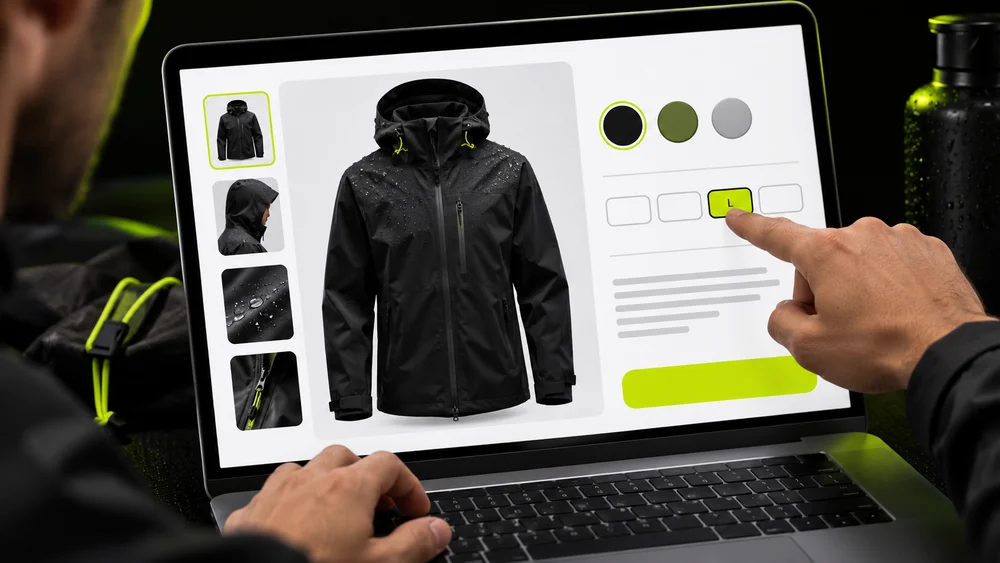
Imagine a waterproof jacket sold in three sizes. The customer chooses a fit after deciding which jacket to buy. A single product page with size variants keeps that decision in one place, provided the selected size shows the right availability and any price difference. A different color can work the same way if the silhouette, features, and description remain true for every color.
Now imagine three desk lamps sold under one collection name, but one is brass with a warm shade, another is an adjustable task light, and the third is a compact wall lamp. A generic parent description would hide the differences customers need to evaluate. Separate product pages give each lamp room for its own images, dimensions, use case, and listing card. Link the related lamps so shoppers can still move between them.
02 Give an option its own page when its content must stand alone
A separate SKU, price, or stock count alone does not force a separate page. Both platforms support those details within variants. Stronger reasons are a distinct product purpose, substantial specification differences, a full set of unique photos, or a named style that buyers seek independently. Ask whether the product would still make sense if a visitor landed directly on its page without seeing its siblings.
If the answer is yes, write a specific title and description rather than duplicating the parent copy. Show the actual item in its listing image. Place a visible link or selector between related products so a customer does not mistake one page for the entire range. Then check whether the extra listings improve discovery or merely crowd a collection with nearly identical cards. The collection filter checklist helps test how those cards and attributes behave together.

03 Know what the platforms actually provide
WooCommerce variable products allow variations to carry their own image, SKU, price, stock status, and other purchase data. That makes a shared page viable even when an option has a different image or inventory. It does not guarantee a good selector: test the exact combination a buyer needs, particularly on mobile. If you want variations to appear as independent collection cards, confirm whether the store uses an extension or custom catalog behavior rather than assuming the core variable product does that.
Shopify products also support variants, while Shopify's Combined Listings app connects separate child products into a storefront choice with individual URLs and richer product details. Shopify currently limits that app to Plus and enterprise commerce plans. Treat it as a specific platform option, not a universal solution for every merchant. For a standard theme or custom storefront, inspect how changing an option updates the gallery, URL, price, availability, and Add to Cart selection.
04 Make the chosen option linkable and understandable to search
Google's ecommerce URL guidance recommends a distinct URL that identifies each variant. That can be a path on separate pages or a query parameter that preselects an option on one page. A separate URL for an option is not the same thing as a separate full product page. If a shared page uses optional variant parameters, Google's guidance says to use the URL without the parameter as canonical. Check what your actual theme or plugin outputs before changing canonical tags.
Google documents ProductGroup structured data for both single-page and multi-page variant arrangements. The markup should describe the products and offers that visitors can actually see and buy. Do not add schema solely to claim rich results, and do not assume the platform emits complete variant data without testing a rendered URL. For each representative option, open its direct link in a fresh browser session and verify the selected image, price, availability, and purchase action.
05 Audit a change before moving the whole catalog
Choose one simple family and one difficult family. Record the current URLs, catalog cards, option names, stock rules, and any pages receiving traffic or links. Build the proposed structure for those families first. On a phone, start from collection browsing and from a direct product link. Can the shopper reach the intended option and return to siblings without losing context?
If splitting existing products changes URLs, map each old page to its most relevant new destination and check links, sitemaps, and canonical output. If consolidating pages, avoid sending every old item to a generic parent when the exact option can be preselected. Search the site for a distinctive color or model name to see whether the new structure makes it easier or harder to find; the search no-results guide provides a way to diagnose misses. Recheck feed and analytics behavior in the actual store setup before rolling out the pattern.
06 Common catalog mistakes
- Splitting every size into a product card, leaving a collection full of duplicates.
- Grouping meaningfully different products under a description that only fits one of them.
- Using color swatches that do not update the image or selected purchase option.
- Giving separate products no visible way to compare or navigate between siblings.
- Changing URLs without checking direct links, canonical tags, and old destinations.
- Assuming a platform feature or app is available on every plan or store configuration.
Unsure how to group a product family? Tijo Creative can review the catalog, product template, and discovery path in a Shopify or WooCommerce store. Bring two representative product families and their current URLs, then contact Tijo Creative about a focused catalog structure review.
FAQ
Common questions about Product Variants or Separate Products: How Should Your Store Choose?
A quick summary of the most common questions readers have about this topic.
Usually no. If size changes fit and stock but not the core product story, a selectable variant on one page is easier to compare. Check that each size's availability and price are clear.
Consider separate pages when a colorway needs its own photography, description, merchandising, or discovery path. If color is simply a choice within the same item, keep it selectable on one page.
No. Google documents both single-page and multi-page product variant structures. It recommends a distinct URL that identifies each variant, including a query parameter on a shared product page.
Yes. Both platforms support variation-specific inventory. Separate pages are a merchandising and content decision, not a requirement just to track stock.