
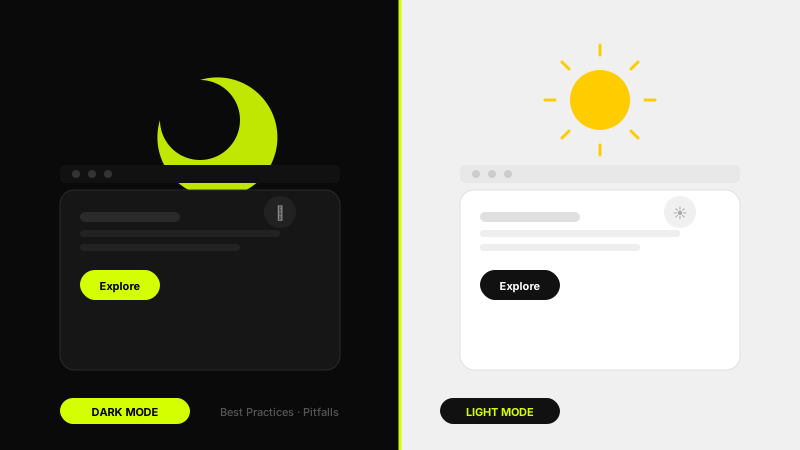
Dark mode has graduated from a developer preference to a mainstream design requirement. Users expect it, operating systems support it natively, and apps that implement it poorly face real usability and accessibility consequences. Designing dark mode correctly is not simply inverting your light palette, it is a discipline with its own rules around colour, contrast, elevation, and image handling that most designers underestimate until they try it.
01 Why Dark Mode Is Here to Stay
The adoption of dark mode is not a trend, it is a response to genuine user needs. OLED and AMOLED displays, which are now standard across mid-range and premium smartphones, render true black pixels by turning off individual LEDs entirely. A dark mode interface on an OLED screen can reduce display power consumption by up to 60% in full-black areas. For battery-conscious users, which is most users, that matters.
Accessibility is the other driver. Photophobic users, those with certain visual impairments, and anyone using a screen in low-light environments experience measurably less eye strain with a dark interface. Apple's Human Interface Guidelines, Google's Material Design 3, and Microsoft's Fluent Design System all include first-class dark mode specifications precisely because it is an accessibility feature as much as an aesthetic one.
From a product standpoint, offering dark mode signals that your team pays attention to detail and respects user preference. It is increasingly a purchasing consideration for professional and productivity tools. If you want a solid grounding in the visual fundamentals before diving into dark mode specifics, start with my article on UI design principles, the rules around contrast, hierarchy, and colour relationships are the foundation everything here builds on.
02 Colour in Dark Interfaces
The most common dark mode mistake is using pure black (#000000) as the background. Pure black creates extreme contrast with any content placed on top of it, text, cards, icons, which produces harsh visual edges that cause eye strain rather than relieving it. Google's Material Design recommends #121212 as a baseline dark surface. Apple's default dark background is approximately #1C1C1E. These near-blacks reduce harsh contrast while still providing the screen-energy benefits of a dark palette.
Saturated colours from your light mode palette will appear visually aggressive on dark backgrounds. In dark interfaces, desaturate your brand and accent colours by 15–30% and increase their lightness slightly. A button that reads clearly at its original saturation on a white background will feel overwhelming at the same saturation on a dark surface. The goal is to maintain recognisable brand colour while reducing visual vibration, the uncomfortable sensation of highly saturated colour vibrating against a dark field.
Semantic colour tokens are essential here, and this is exactly why the design tokens layer of your design system matters so much. If your button colour references a semantic token like color-action-primary rather than a hardcoded hex value, switching from light to dark mode is as simple as remapping that token. If your components reference raw hex values, every component becomes a manual update, an enormous maintenance burden that will cause dark mode to lag permanently behind your light mode in quality.
"Dark mode is not an inversion. It is a completely different colour system that happens to share your brand identity. Treat it as a first-class design, not an afterthought."
03 Contrast and Readability Rules
WCAG 2.1 requires a minimum contrast ratio of 4.5:1 for normal body text and 3:1 for large text (18pt regular or 14pt bold and above). These standards apply in dark mode exactly as they do in light mode, and they are more frequently violated in dark mode because designers visually assess contrast on a calibrated monitor at full brightness without accounting for how screens look in real-world ambient lighting conditions.
Pure white text (#FFFFFF) on a dark background technically passes contrast requirements but creates excessive contrast that fatigues the eye during prolonged reading. Use off-white values for body text, #E0E0E0, #DEDEDE, or similar, which reduces perceived harshness while still exceeding WCAG AA requirements. Reserve true white for headings, primary CTAs, and critical data where maximum legibility justifies the contrast intensity.
Secondary and tertiary text in dark mode is where many interfaces fail. Placeholder text in input fields, captions, timestamps, and supporting labels often end up with insufficient contrast because designers reduce their opacity rather than selecting an appropriately lighter colour value. Opacity-based dimming does not behave the same as a lighter colour value, it produces different results depending on what is behind the element. Always specify actual colour values for text, never just reduce opacity and call it done.
Dark Mode Contrast Checklist
- Body text contrast ratio is at minimum 4.5:1, verified with a contrast checker tool, not eyeballed
- Background is not pure #000000, use #121212 or similar near-black as your base surface
- Brand and accent colours are desaturated 15–30% relative to their light mode equivalents
- Secondary text uses a specific hex value, not opacity on white, opacity behaves unpredictably on layered surfaces
- Interactive element focus states remain clearly visible against dark backgrounds
04 Elevation Through Layering, Not Shadows
In light mode UI design, depth and elevation are primarily communicated through drop shadows, darker values beneath a lighter floating element. In dark mode, this relationship inverts: shadows become nearly invisible against dark backgrounds, because there is insufficient contrast between a dark shadow and a dark surface for the depth cue to register clearly.
Material Design 3 solves this elegantly with its tonal elevation system: as a surface's elevation increases, its background colour lightens slightly. A base surface at elevation 0 sits at #121212. A card at elevation 1 sits at approximately #1E1E1E. A modal at elevation 3 sits at approximately #272727. This progression of lightening surfaces communicates hierarchy and depth through colour value rather than shadow, which reads reliably at all ambient light conditions.
Implement this in your design system as a set of named surface tokens: surface-base, surface-raised, surface-overlay, surface-dialog. Each maps to a specific lightness value in dark mode and a specific shadow value in light mode, but components reference only the semantic token name, making the mode switch clean and systematic. This is one of the more technically satisfying parts of dark mode design when done correctly, and it pays enormous dividends in consistency across a complex product.
"In dark interfaces, shadows disappear. Light is the shadow. Use surface lightness to communicate depth, not drop shadows."
05 Handling Images and Illustrations
Photographs and raster images present a specific challenge in dark mode: a bright, high-key image on a dark background creates a jarring visual contrast that disrupts the interface's mood and can feel uncomfortable at night or in low light. The solution is not to darken every image, but to be strategic. Apply a subtle CSS overlay (mix-blend-mode: multiply or a semi-transparent dark overlay at 10–15% opacity) to high-key images in dark mode contexts, particularly in hero areas and card thumbnails where the image edge meets the dark background directly.
For illustrations and iconography, export separate dark mode variants rather than relying on CSS filters to invert or adjust. CSS filter: invert(1) applied to a complex illustration will produce incorrect results for any colour that is not a simple black or white, flesh tones, brand colours, and gradients all invert unpredictably. Build your illustration system with dark mode variants from the start, even if it means a modest additional asset production cost, because the quality difference is significant.
Logos deserve special attention: many brand logos are designed for light backgrounds and become difficult to read against dark surfaces. Prepare a white or light-coloured version of every logo used in your product for dark mode contexts, both your own logo and any partner or client logos displayed in the interface. Communicate this requirement clearly in your design handoff documentation so that brand assets are not just inverted by a developer as a quick fix.
Dark Mode Image & Illustration Rules
- High-key photographs use a 10–15% dark overlay where they meet dark backgrounds
- Illustrations have explicit dark mode variants, never rely on CSS invert filters
- Logos have a light-coloured dark mode version prepared and documented
- SVG icons use
currentColorso they inherit the correct text colour in each mode
06 Common Dark Mode Mistakes
The single most common dark mode mistake is treating it as an afterthought, designing the entire product in light mode and then "doing dark mode" at the end of the project. This approach always produces a dark mode that is visually inconsistent, missing states, and perpetually behind the light mode in quality. Dark mode must be designed in parallel, with every component built and tested in both modes simultaneously. If your project timeline does not allow for this, be honest with stakeholders: a poor dark mode is worse for the product's reputation than no dark mode.
The second most common mistake is using white borders on dark cards to create separation. In a well-designed dark mode, surface separation should come from the tonal elevation system described above, different background lightness values, not borders. White or light-coloured borders in dark mode create visual noise and suggest that the designer did not have a systematic approach to depth. If you find yourself reaching for borders to separate surfaces, it is a sign that your surface token system needs refinement.
Finally, do not skip the prefers-color-scheme media query and the prefers-reduced-motion query. Respecting the user's system setting is table stakes, a product that ignores the system dark mode preference and forces users to find a manual toggle in a buried settings screen will generate support tickets and negative reviews. Implement automatic system-preference detection as the default, with a manual toggle as an optional override. And just as with the micro-interactions in your interface, always provide a no-motion alternative: dark mode transitions (the fade between modes on toggle) should respect reduced motion preferences and switch instantly rather than animating.
Dark mode done well is invisible, users simply feel comfortable, and the interface communicates equally clearly at midnight as at noon. Done poorly, it is a constant source of friction that signals to users that their experience was not fully considered. Invest in a token-based colour system, design both modes in parallel, validate contrast rigorously, and handle images with care. The result will be a product that earns the trust of users who notice the details, because they always do.
FAQ
Common questions about Dark Mode UI Design: Best Practices, Pitfalls & Real Examples
A quick summary of the most common questions readers have about this topic.
The most common mistake is treating dark mode as a simple inversion of light mode. Good dark mode needs its own colour system, contrast tuning, elevation logic, and image treatment.
Usually no. Pure black often creates harsh contrast and visual fatigue. Near-black surfaces like #121212 typically feel more comfortable while still preserving the dark look.
It can improve comfort for users in low-light environments and for some light-sensitive users, but only if contrast, focus states, and readability are designed properly.
Use semantic colour tokens and adjust saturation and lightness for dark surfaces. That helps preserve brand recognition without making accents feel too aggressive.
Not always immediately, but for most modern digital products it is increasingly expected. If your audience uses the product for long sessions or at night, it becomes especially valuable.