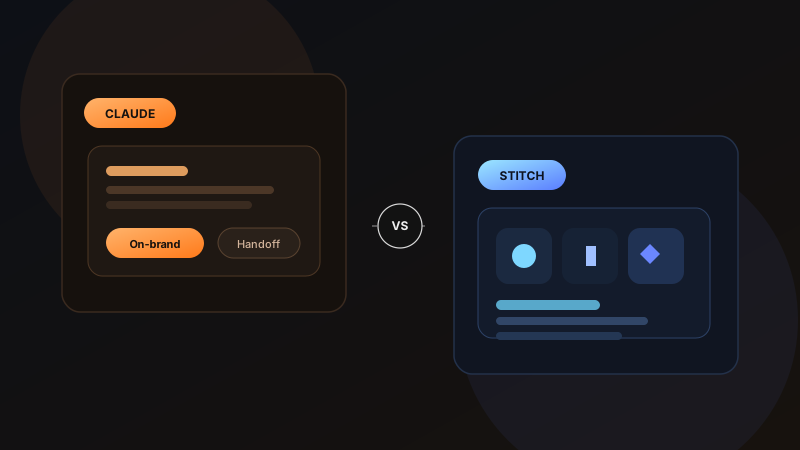
AI design tools are getting good fast, but they are not all trying to solve the same problem. Claude Design feels like a collaborative creative partner for polished brand work and fast prototype handoff, while Google Stitch feels more like an AI-native canvas built for fluid UI exploration, rapid iteration, and experimentation. If you're deciding between the two, the better question is not which is smarter? but which one matches how your team already works?
As of May 13, 2026, this comparison reflects Anthropic's Claude Design launch on April 17, 2026 and Google's Stitch update announced on March 18, 2026.
01 What Claude Design is really optimized for
Claude Design is built around the idea that design is not just screen generation, it is also brand consistency, review loops, presentation work, and developer handoff. Anthropic positions it as a tool for designs, prototypes, slides, one-pagers, and marketing assets, not just app screens. That broader scope matters.
Its strongest pitch is that it can absorb your team's existing visual language, then keep applying it across projects. For in-house teams, that is powerful. You are not starting every prompt from zero; you are teaching the system what "on-brand" means and expecting it to stay there.
Claude Design is strongest when you need
- On-brand visual outputs across multiple formats, not just UI screens
- Interactive prototypes that are close to presentation-ready
- A smoother bridge from design direction to implementation handoff
- Collaboration inside an org where sharing and editing permissions matter
02 What Google Stitch is really optimized for
Stitch comes from a slightly different angle. Google's recent direction makes it clear that Stitch is about vibe design: turning ideas, prompts, screenshots, and rough context into high-fidelity interface directions quickly. The infinite canvas, design agent, and parallel exploration model all point to one thing, range.
Where Claude Design feels like a guided creative partner, Stitch feels like a fast-moving design playground. It is especially compelling when you want to push through many concepts, remix inspiration, test directions visually, and move from static screens into lightweight prototypes without too much ceremony.
Stitch is strongest when you need
- Fast concept generation from natural language
- An infinite canvas for exploring multiple UI directions in parallel
- Prompt-driven iteration with images, text, and code as context
- Quick flow prototyping and experimentation before deeper production work
03 The core difference: polish versus exploration
This is the clearest line between them. Claude Design appears to be aiming for polished output with stronger organizational memory. Stitch appears to be aiming for faster exploration with a more open-ended creative surface.
That does not mean Claude cannot explore or Stitch cannot polish. Both can do some of both. But their center of gravity is different, and that center of gravity usually determines whether a tool feels frictionless or frustrating in daily use. This is also why a clear design process matters more than the tool itself, the better your workflow, the better these systems perform inside it.
If your team already has a mature brand system and wants AI to stay inside those rails, Claude Design makes more sense. If your team is still discovering the rails, Stitch is the more natural fit.
04 Workflow comparison
A useful way to compare these products is to map them to the real moments inside a design process.
Choose Claude Design when
- You need client-facing or stakeholder-facing output quickly
- Your team cares about design system consistency more than raw idea volume
- You want exports such as PDF, PPTX, HTML, or Canva-oriented workflows
- You want a cleaner handoff path into engineering and implementation tools
Choose Stitch when
- You are in the messy early phase of product ideation
- You want to branch into many UI directions before narrowing down
- You value an agent that can work across an evolving canvas context
- You want to experiment with shared design language through DESIGN.md
05 Where Claude Design has the edge
Claude Design's biggest advantage is coherence. Its official positioning around design systems, editable outputs, org sharing, and direct handoff suggests a product meant to live inside real teams, not just impress solo explorers. That makes it appealing for startups preparing investor decks, product teams refining feature flows, and brand-conscious companies that do not want AI outputs drifting off-style every session. If you want to see how that kind of structured thinking translates into shipped work, you can browse recent UI/UX projects across websites, product interfaces, and brand-led builds.
It also seems broader in asset type. If you want one AI surface for mockups, decks, one-pagers, and collateral, Claude Design has a wider brief than Stitch right now.
06 Where Stitch has the edge
Stitch's edge is momentum. The canvas-first model, voice-driven iteration, parallel idea tracking, and immediate prototype stitching all support a more fluid exploratory loop. For designers who think by making, reacting, and branching, that matters a lot.
Its DESIGN.md direction is also especially interesting. It points toward a future where design intent becomes portable between tools and agents, which could make Stitch very attractive for teams that want AI-assisted design systems without being locked into a single visual editor.
07 My practical recommendation
If I were choosing today, I would frame it like this: Claude Design is the better pick for structured teams trying to produce polished, on-brand work fast. Google Stitch is the better pick for exploratory teams trying to discover strong interface directions quickly.
For many teams, the real answer may not be either/or. Stitch can be the divergent tool, where ideas expand, branch, and evolve. Claude Design can be the convergent tool, where the chosen direction gets tightened, branded, shared, and handed off.
The bigger shift behind both tools
The most interesting thing about Claude Design and Stitch is not that they generate interfaces. It is that both are trying to compress the space between idea, visual expression, feedback, and implementation. That is the real disruption. Designers will still need taste, systems thinking, accessibility judgment, and product instinct. But the cost of exploring ten directions instead of two is collapsing fast, and that changes the shape of the design process itself. If you're exploring similar workflows for your own product, you can get in touch here to discuss a UI/UX or frontend project.
FAQ
Common questions about Claude Design vs Google Stitch: Which AI Design Tool Fits Your Workflow?
A quick summary of the most common questions readers have about this topic.
Claude Design is better suited to polished, on-brand outputs and team handoff, while Google Stitch is stronger for rapid UI exploration, branching ideas, and canvas-based iteration.
It depends on the stage. Startups exploring product directions may prefer Stitch for speed and idea volume, while startups preparing investor decks, product mockups, or branded presentations may get more value from Claude Design.
Claude Design currently looks stronger for teams that want AI to stay aligned with an established brand or design system. Stitch is promising for system-aware workflows too, especially with DESIGN.md, but it feels more exploration-first.
Yes. Google's recent Stitch updates emphasize turning prompts into high-fidelity UI, then linking screens into lightweight interactive prototypes for quick flow testing.
For many teams, yes. Stitch can help during divergent exploration, while Claude Design can help refine the chosen direction into polished, shareable, and handoff-ready work.